
Empower Your Creative Journey
StreamKit ships real tools you can embed today - deck layouts, timers, scrolling text, chat, face effects, and frame templates - wired for OBS and browser-source workflows.
Watch & learn
See StreamKit in action
Two quick walkthroughs to get you from zero to live. Press play and follow along - setup takes minutes.
Why StreamKit
Built for your broadcast
Less generic SaaS pitch - more control room. Everything here maps to a tool you can open after sign-in.
Built for OBS and browser sources
Drop embed URLs into OBS (or any app that supports browser sources) so overlays stay aligned with your scenes.
One dashboard for your tools
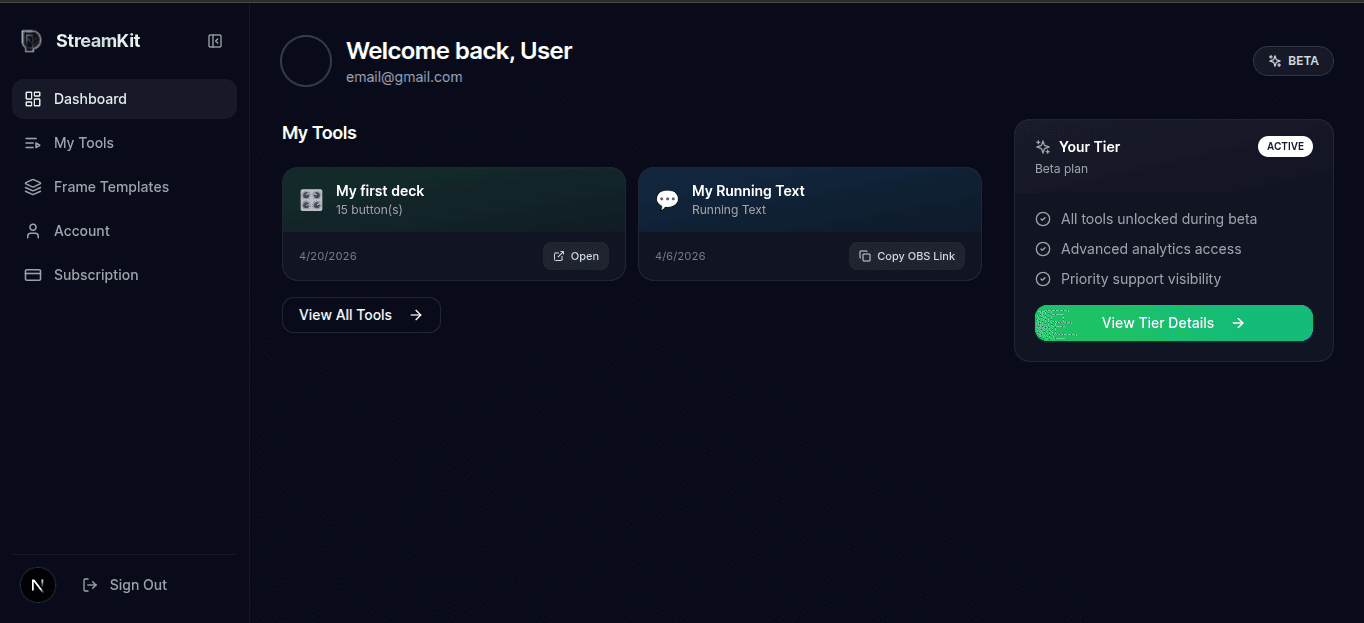
Create and manage timers, text, chat overlays, face effects, and decks from a single signed-in hub.
Works where you stream
Browser-based widgets do not lock you to one platform - use them alongside Twitch, YouTube, Kick, and others.
Live-friendly layout
Tweak layouts and assets without fuss: Stream Deck and overlays are built around on-air workflows.
Responsive control
Dial in settings on desktop or tablet so you can prep before you go live.
Instant embed refresh
Update an embed or deck slot and refresh the browser source - no rebuild step required.
WHY STREAMKIT
"Built by Creators," "for Creators"
We understand the challenges creators face because we are creators. StreamKit was built from the frustration of juggling dozens of tools just to produce quality content.
Our mission is simple: give every creator the tools they need to focus on what matters most - creating amazing content and connecting with their audience.
FOLLOW PENCIPTA
Stay connected
Follow Pencipta for updates, behind-the-scenes, and creator tips across your favorite platforms.
Built for OBS and browser sources
Drop embed URLs into OBS (or any app that supports browser sources) so overlays stay aligned with your scenes.
One dashboard for your tools
Create and manage timers, text, chat overlays, face effects, and decks from a single signed-in hub.
Works where you stream
Browser-based widgets do not lock you to one platform - use them alongside Twitch, YouTube, Kick, and others.
Live-friendly layout
Tweak layouts and assets without fuss: Stream Deck and overlays are built around on-air workflows.
Live toolkit
What you can use now
Six production-ready surfaces. Each card opens the real route behind it.
OBS-ready
Drops into your studio stack
Most StreamKit tools expose a URL: paste it as a browser source, size the layer, and you are broadcasting with the same scene hygiene you already use.
- Paste a URL into OBS as a browser source - no plugin required
- Use the same pattern in Streamlabs Desktop, XSplit, or any browser-source-capable tool
- Compatible with major platforms: Twitch, YouTube, Facebook Gaming, and more
- Frame templates and overlays stay in sync with what you configure in StreamKit
FAQ
Frequently Asked Questions
Got questions? We've got answers.
What is StreamKit?
Is StreamKit free to use?
Which streaming platforms are supported?
Do I need to install anything?
Can I use my own media files?
Ready to Level Up?
Stream Kit is here. Stream deck, soundboard, overlay chat, running text, timer, and AI face effects - all in one app.
Join the Community
Connect with creators, share feedback, and help shape the future of StreamKit.